Customizing the Sametime Meeting Center UI
I really like the new Sametime Meeting Room Center UI, nice blue/green/grey screen.
Nevertheless our CI colors are more like purple and so I had to try to change the UI accordingly. Sametime Meeting Center is a pure Websphere application so customizing means find the app resource files and you are almost done.
So the magic path is :
$WAS_INSTALL_PROFILES_MEETING\installedApps\$CELL\Sametime Meeting Server.ear\stmeetings.webclient.war\static-20110517-1459\oneui\common\styles
To change UI from
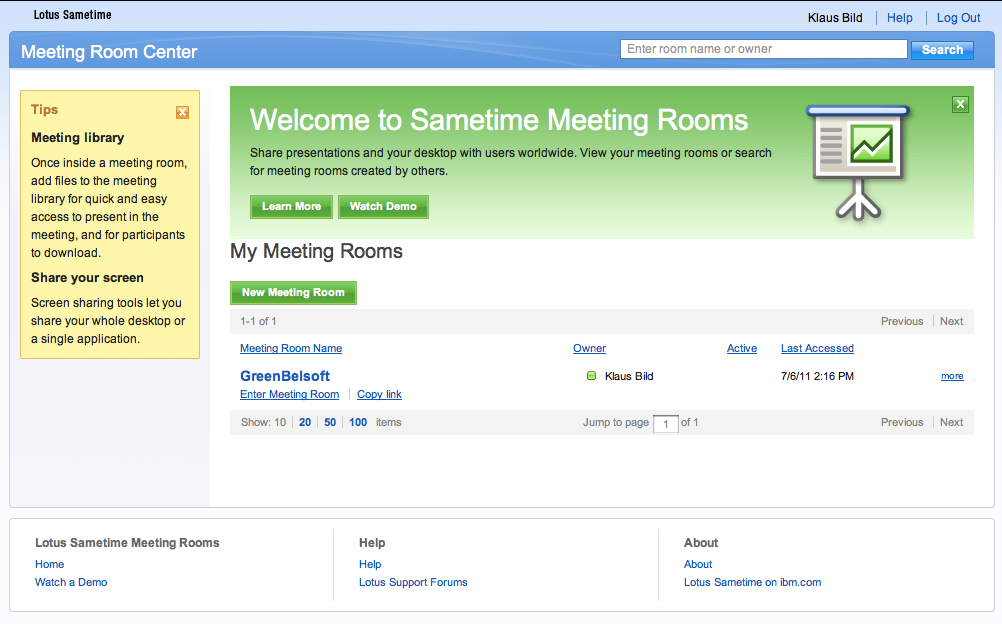
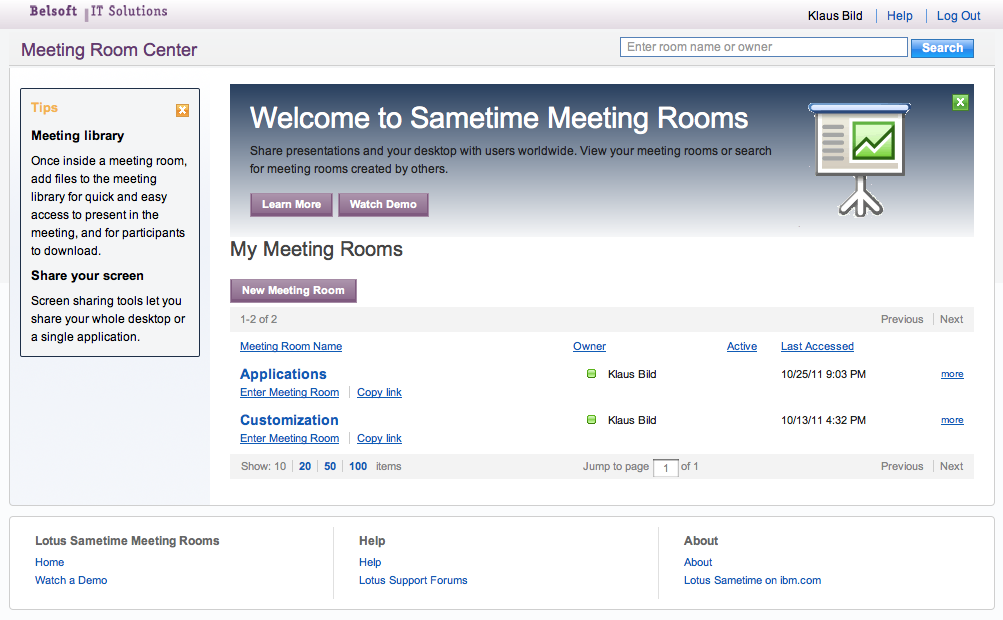
to

was pretty easy.
For this example I just changed 7 images (btnActionBkgd.png, LotusSametime.png, STiconHomepageLarge.gif, titlebarLeft.png, titlebarMid.png, titlebarRight.png, welcomeBkgd.png) and did some CSS changes in defaultTheme.css
Leave a comment
Recent Posts
Pages
Tag Cloud
3.0
3.0.1
8.5
8.5.1
8.5.2
access
administration
advanced
app
backup
client
connections
customizing
demo
deployment
groups
ibm
ibm-connections
ibm-sametime
ifr1
installation
ipad
iphone
ldap
lotus
lotus-quickr
lotus-sametime
lotusphere
managed-settings
mobile
nested
presentation
quickr
release
sametime
sametime-advanced
security
services
settings
tipps
unified-communication
upgrade
windows
workshop
youtube
Blogroll
- So gleich geht's los, erster Flug für unseren Sohn, wird sicherlich spannend. (@ Terminal B) 4sq.com/J7Vj15 5 days ago
- Die 60ger Löwen sind in Zürich, was die hier wohl machen #tsv1860 http://t.co/P5FTF0iF 1 week ago
- Mal wieder im Rheintal, wäre nur der Weg von Zürich nicht immer so weit. #tdi #day 1 week ago


